Introduction to the Leap Valley Tree Map
Between October 2020 and August 2021, the Friends of Leap Valley embarked on a survey of all mature trees within the Leap Valley, starting at the north close to Baugh Farm, and gradually working our way southward toward the Methodist Church on Badminton Road.
As part of the survey, key tree data such as location, species, condition height and girth were recorded and then entered onto a spatial database application. On completion of the survey, the resulting data was converted into a format that could be made available to the public via the Friends of Leap Valley website.
How to access and use the Tree Map
The Leap Valley Tree map can be easily accessed by clicking on the link below:
Upon clicking on the link, you will firstly see a street map of the Leap Valley area. You will then see the map populate with the trees, each with it’s own coloured tree symbol and description.
Depending upon the speed of your internet connection, these trees (all 381 of them) may take a little while to load-up.
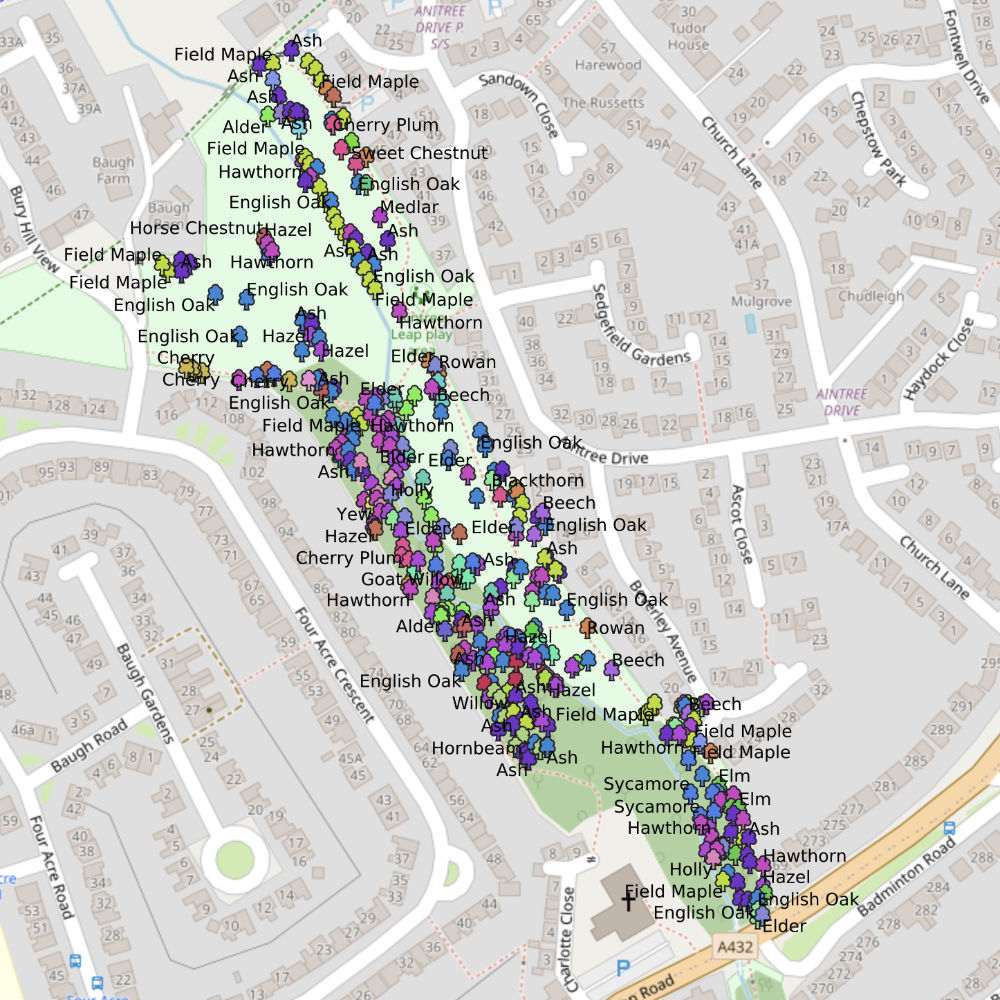
Once the map has loaded-up it is possible to zoom-in and zoom-out to an area of interest using the circular + and – buttons to the bottom-right of the screen.
To find out more data on a particular tree, zoom into it enough to be able to clock on its icon (and not that of a neighbouring tree as well). A new ‘Feature Info’ panel will show the additional information recorded for that particular tree. Click on the cross to the top-right of the panel to close it and return to the main map.

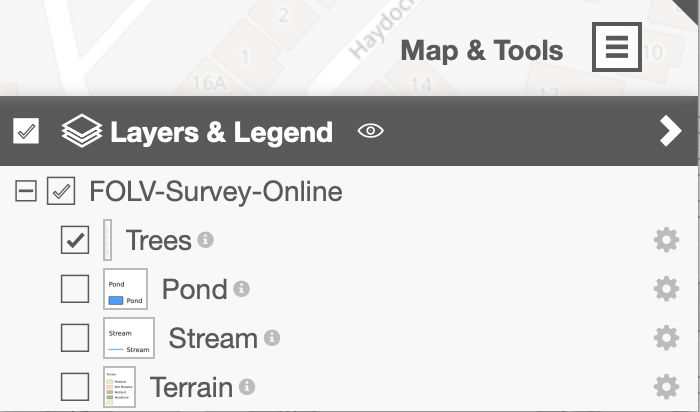
The top-right of the map shows a ‘Map and Tools’ facility, which when clicked, can be used to show or hide the trees, or different features within the valley including the stream and different area of terrain, such as the wet meadow and wooded area. Additional map tools are available to allow the measuring of distances between trees on the map or pinpointing their exact location etc.
We hope you find this map interesting and informative!
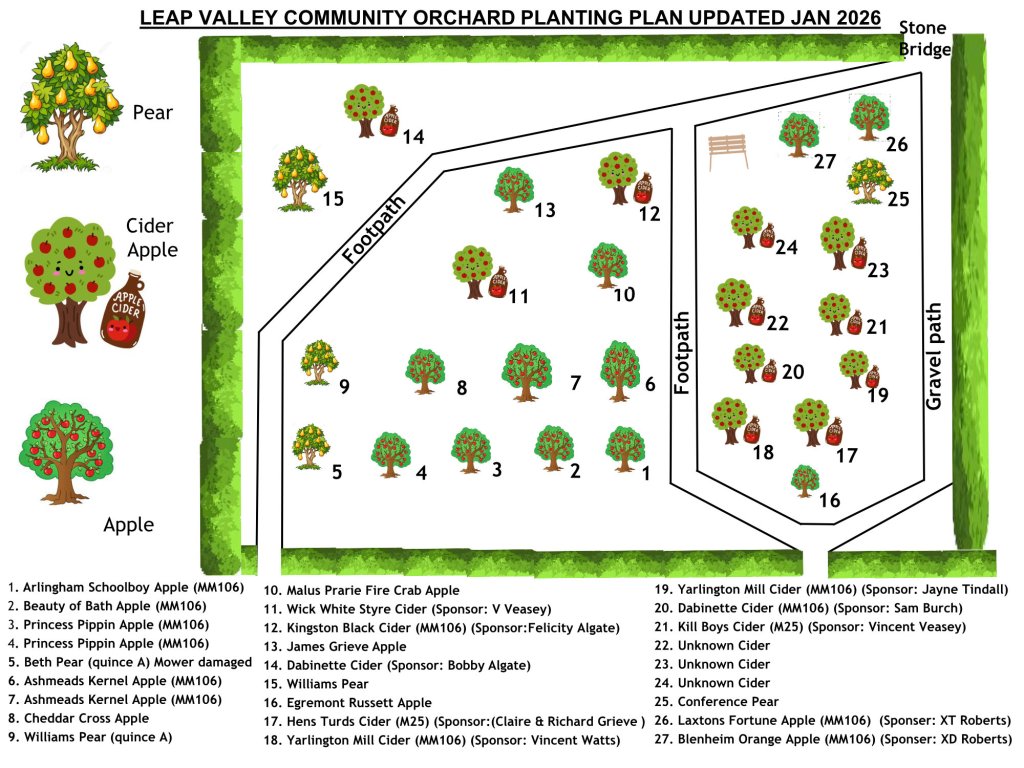
Map of the Leap Valley Orchard
 The Friends of Leap Valley
You must be logged in to post a comment.